
Setting up a repair station that can handle both cars and electronics sounds like a big ask, but honestly, it’s not as complicated as it first appears. With a well-organized workspace, the right tools, and a smart layout, you’ll fix up vehicles and gadgets faster—plus, it just feels more professional and safer.
Planning Your Pro-Level Repair Space
Having a well-thought-out repair space makes your work faster and safer, no matter if you’re wrenching on cars or tinkering with electronics.
Choosing a Suitable Location
Your repair area needs enough room for equipment, storage, and just moving around comfortably. For cars, think at least 23 x 60 feet. Electronics work takes less space, but you’ll still need good ventilation and plenty of power access.
Solid floors are a must for heavy gear and vehicles. High ceilings are great if you want a car lift or tall shelves. Double-check that your electrical system can handle tools, diagnostics, and lighting all at once.
If you’re serving customers, ground-level spots with easy parking make life easier than trying to haul stuff up stairs. Watch out for zoning laws—some places don’t allow repair shops in certain areas.
Natural light is nice, but not essential. Just make sure you’ve got decent ventilation for fumes from soldering or auto fluids.
Designing for Workflow Efficiency
Set things up so work flows in one direction, from start to finish. For cars, that usually means: intake, diagnostics, repair, inspection, then pickup. Electronics? Similar idea—receiving, testing, repair, quality check, and pickup.
Keep your go-to tools and parts close to where you use them. Wall-mounted boards, rolling carts, and overhead bins save steps. Group similar jobs together so you’re not crisscrossing the shop all day.
Leave at least 3-4 feet of open space between work areas so you’re not squeezing past people or gear. Mark out walkways and work zones with tape or paint if you want to keep things organized.
Safety and Ergonomics Considerations
Install bright LED lights—shoot for 75-100 foot-candles in work areas. Bad lighting means eye strain and mistakes. Add task lamps for detail work.
Ventilation is non-negotiable. Car shops need exhaust systems for fumes, electronics work needs fume extractors for soldering. Good airflow keeps you from getting headaches and worse down the road.
Fire extinguishers, first aid kits, and eye wash stations should be easy to grab. Store chemicals and flammables in proper cabinets, away from heat. Emergency exits? Mark them and keep them clear, always.
Set bench heights to reduce back pain. Standing benches should hit your waist; seated benches need chairs that keep your arms at a comfy 90-degree angle.
Essential Tools and Equipment Selection
Outfitting a real repair station means having tools for both cars and electronics. You’ll want solid hand tools and diagnostics for vehicles, plus precision gear for electronics work.
Automotive Repair Tool Sets
Start with a full socket set—SAE and metric. You’ll need these for engines, suspension, and drivetrains. Combination wrenches are a lifesaver in tight spots where sockets just don’t fit.
Don’t skip the torque wrench. It’s the only way to tighten critical bolts to spec—matters a ton for wheels and suspension.
Must-have hand tools:
- Screwdriver set (flat, Phillips, Torx)
- Pliers set (needle-nose, slip-joint, lineman’s)
- Breaker bar for stubborn bolts
- Pry bars for suspension jobs
- Dead-blow hammer
A cordless impact wrench is a game changer. Modern brushless models can handle lug nuts and stuck fasteners, and you’re not tethered to a wall. Pair it with an electric ratchet for quick work in tight engine bays.
Electronics Repair Tools
Electronics repairs need a totally different toolkit. Start with a magnetic tray—trust me, you’ll lose fewer screws during teardowns.
Precision screwdriver sets with a bunch of bit types (Torx, Phillips, pentalobe, tri-wing) are essential since every device seems to use something different. Anti-static wrist straps are a must for handling sensitive components, especially RAM or DRAM.
Don’t forget:
- Spudgers and plastic opening tools
- Tweezers (straight and curved)
- Digital calipers for measuring tiny parts
- Magnifying lamp or microscope
- Heat gun for breaking down adhesives
Wire strippers and flush cutters are handy for cable repairs. If you’re working on computers with NVIDIA graphics cards or other delicate boards, use a grounded mat so you don’t fry anything with static.
Specialized Diagnostic Devices
Modern car work needs an OBD-II scanner to read trouble codes and get live data from the engine computer. It’s how you track down emissions, fuel, or ignition issues.
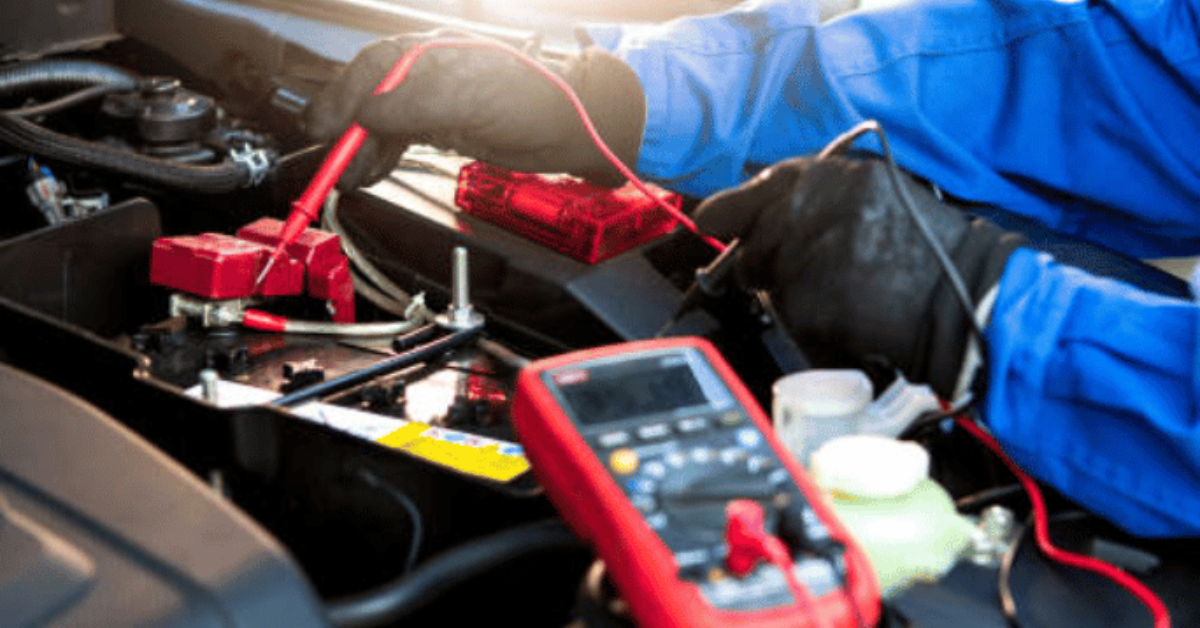
A multimeter is a must for both cars and electronics—measures voltage, resistance, and continuity. Make sure it’s rated for automotive use, since car systems can spike higher than you’d expect.
Other handy diagnostics:
- Compression tester for engines
- Fuel pressure gauge
- Cooling system pressure tester
- Battery load tester
For electronics, a USB power meter helps with charging issues, and a logic analyzer is great for circuit board troubleshooting. Thermal cameras? Super useful for finding hot spots on motherboards and power supplies.
Soldering Irons, Stations, and Accessories
If you’re doing electronics repairs, a temperature-controlled soldering station is non-negotiable. Cheap, fixed-temp irons will just ruin boards. Look for digital temp displays and fast heat-up times.
You’ll want a few different tip sizes. Fine conical tips for small surface-mount work, chisel tips for bigger joints. Clean tips with brass wool or tip tinner so they actually last.
Stock up on good solder—63/37 tin-lead with flux core is the go-to for most electronics. Lead-free works but needs higher temps and can be finicky.
Soldering extras to keep on hand:
- Helping hands with magnifier
- Solder wick for cleanup
- Flux pen for prepping joints
- Hot air rework station (for SMD repairs)
Keep some 90%+ isopropyl alcohol and cotton swabs nearby for cleaning up flux residue. You’ll use them all the time.
Optimizing Workstation for Cars and Electronics
Modern repairs mean you’re juggling diagnostics hardware, software, and a mess of cables—especially if you’re doing both cars and electronics.
Integrating Hardware for Diagnostics
Your diagnostic tools should plug right into your main computer. OBD-II scanners for cars and multimeters for electronics both need USB ports. A computer with at least 16GB of RAM is a good idea if you’re running a bunch of diagnostic apps at once.
If you’re dealing with ADAS or complex wiring diagrams, an NVIDIA graphics card helps a lot. Mount your monitor at eye level—your neck will thank you after a few long days.
Install a powered USB hub (at least eight ports) so you’re not always swapping cables. Keep your go-to diagnostic tools on a pegboard or magnetic strip, right next to your keyboard.
Setting Up Computer Systems and Software
Windows 10 or 11 is your best bet—most diagnostic programs for cars and electronics run on these. Install manufacturer software (Ford IDS, GM TechLink) and aftermarket stuff like Mitchell1 or ALLDATA.
Set up separate user profiles for car and electronics work. It keeps things organized and avoids software conflicts. Schedule automatic updates for off-hours so you’re not interrupted mid-job.
Pick antivirus software that won’t mess with your diagnostic tools. Some scanners are picky about firewall settings. Store all your software licenses and activation codes in a password manager—makes reinstalling after updates way less painful.
Back up your computer every week to an external drive. Losing calibration files or customer data is a nightmare you don’t want.
Cable Management and Storage Solutions
Use cable trays under your bench to route power and data cables. Label everything—either with a label maker or color tags. It saves a ton of time when you’re tracing connections or swapping out gear.
Sort cables into bins by type:
- Automotive: OBD-II, CAN bus, jumpers
- Electronics: HDMI, USB-C, micro-USB, serial
- Power: Extension cords, power strips, adapters
Mount a small parts organizer above your bench for adapters and dongles. Velcro ties keep loose wires from turning into a rat’s nest. If you’ve got heavy power cables crossing walkways, run them through protective conduit—no one likes tripping hazards.
Training, Maintenance, and Workflow Best Practices
Your repair station only runs well if your team follows clear procedures, keeps their skills up, and manages tools and parts without chaos.
Establishing Standard Operating Procedures
Write down the steps for every common repair—diagnostics, disassembly, testing, reassembly—both for cars and electronics. Checklists help, especially for tricky jobs.
Include safety tips, tool lists, and quality checks in your procedures. Store them somewhere everyone can find—binders at each bench or a shared computer both work.
Use digital apps or even simple Windows folders to organize by category. Label clearly so new folks don’t have to ask every time.
Ongoing Training and Certification Programs
Technicians need regular training to keep up with new vehicle tech and electronics. Aim for monthly sessions that mix hands-on with technical know-how.
Bring in vendors to show off new diagnostic tools—many offer free training with a purchase. Worth taking them up on it.
Schedule trainings in your calendar app so you don’t double-book during busy times. Rotate staff through sessions so the shop keeps running.
Keep track of certifications and skills in a spreadsheet or database. Makes it easier to assign the right person for a tricky job and spot any gaps in your team’s skills.
Organizing Inventory and Maintenance Schedules
Keep your most-used parts sorted by category, and slap on some clear labels. Bins, drawers, or open shelving.
Set a minimum for stuff you can’t do without, like fuses, connectors, fluids, and fasteners. Pop reorder alerts into your inventory system, or just set a reminder on your phone if that’s easier.
Take a look at what you go through fastest and adjust your stock as you notice patterns. It’s not always what you’d expect, honestly.
Stick to fixed maintenance schedules instead of playing catch-up when something breaks. Jot down service dates and any issues for each major tool in a maintenance log.
Don’t forget to clean diagnostic scanners, calibrate meters, and service air compressors—ideally following whatever the manufacturer recommends (even if it’s a bit much sometimes).