
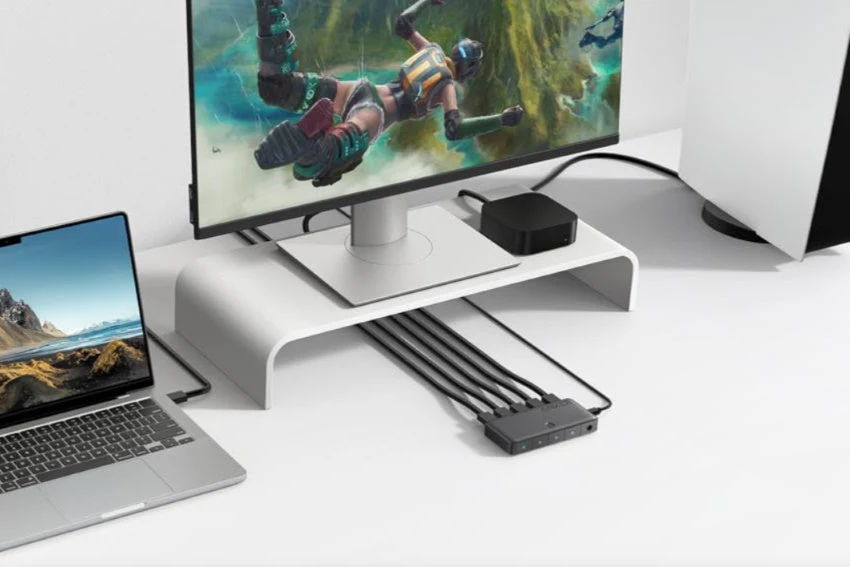
To get the best 4K streaming and audio from your home theater, use high-quality RJ45 connectors and cables. They create a reliable network that prevents buffering and signal drops, ensuring support for advanced features like HDR and Dolby Atmos as technology evolves.
Understanding the Need for Professional-Grade Connectors in Home Theaters
Quality connectors directly affect how your streaming device handles bandwidth and maintains signal integrity during high-traffic viewing sessions.
How Connectors Impact Streaming Performance
Your connectors act as the bridge between your streaming device and display. Poor-quality connectors can’t handle the bandwidth demands of 4K or HDR content, creating bottlenecks that degrade picture quality.
Professional-grade connectors maintain consistent data transfer rates. They prevent packet loss that causes pixelation or compression artifacts during streaming.
Risks of Buffering and Signal Dropouts
Standard connectors often fail under sustained streaming traffic. Loose connections cause intermittent signal loss, leading to mid-stream buffering or complete dropouts.
Common problems include:
- Interrupted 4K streams during peak bandwidth scenes
- Audio sync issues from inconsistent data flow
- Random disconnections requiring system restarts
Comparing Wired and Wireless Connections
Wired connections through quality connectors provide stable bandwidth that Wi-Fi struggles to match. Your home theater benefits from dedicated pathways that eliminate interference from other wireless devices.
Wi-Fi works for basic streaming but can’t guarantee consistent performance during multiple simultaneous streams or when walls obstruct signals.
Types of Connectors and Cables: Choosing the Best for Streaming Reliability
Professional-grade connectors deliver stable signals for video, network, and audio components in your home theater. HDMI 2.1 handles high-bandwidth video, Cat6 ethernet cables provide consistent network speeds, and balanced audio connectors like XLR maintain clean sound transmission.
HDMI, DVI, and Advanced Digital Video Connectors
HDMI cables are your go-to for connecting streaming devices, gaming consoles, and displays. HDMI 2.1 supports 4K and 8K resolutions with higher refresh rates, making it ideal for modern home theaters.
DVI connectors offer an alternative for older displays but lack audio transmission capabilities. They’re being phased out in favor of HDMI in most setups.
Look for quality HDMI cables with proper shielding to prevent signal degradation. Shorter cable runs under 15 feet typically perform better than longer ones.
Ethernet Cables for Stable Network Performance
Cat6 cable provides reliable bandwidth for streaming without buffering. These ethernet cables use RJ45 connectors that click securely into your router, streaming devices, and patch panels.
Wired connections outperform Wi-Fi for 4K streaming. Cat6 supports speeds up to 10 Gbps over shorter distances, which handles multiple simultaneous streams.
Consider using patch panels for organized cable management in equipment racks. This makes troubleshooting and upgrades simpler.
Audio Connectors: RCA, XLR, and Speaker Wire
RCA connectors work well for basic stereo audio connections in home theaters. These color-coded plugs (red and white) are simple to install but can pick up interference over long runs.
XLR connectors provide balanced audio that resists noise and interference. The twist-lock mechanism ensures secure connections for powered speakers and amplifiers. Coax cables also serve as audio connectors for digital signals in some setups.
Choose appropriate cable types based on your specific audio equipment requirements.
Ensuring Signal Integrity: Avoiding Interference and Data Loss
Professional-grade connectors protect your streaming quality by minimizing electromagnetic interference and preventing the jitter and packet loss that cause buffering, audio dropouts, and picture degradation.
Combatting Electromagnetic Interference (EMI)
EMI occurs when external signals from nearby devices disrupt your data transfer. Your home theater faces interference from Wi-Fi routers, smartphones, and even electrical wiring. Quality connectors use metal shielding to block these unwanted signals from corrupting your audio and video streams.
Proper grounding techniques further reduce signal interference. Look for connectors with braided shields or foil wrapping that maintain consistent contact. This protection ensures your 4K video streams and high-resolution audio maintain their intended quality without pixelation or distortion.
Reducing Jitter and Packet Loss for Flawless Streaming
Jitter creates timing inconsistencies in your data stream, while packet loss means missing pieces of information. Both issues degrade sound clarity and cause visible artifacts in your picture. Professional connectors maintain precise impedance matching to prevent these problems.
Premium connectors also feature gold-plated contacts that resist corrosion and ensure stable connections. This stability keeps your streaming smooth without the stuttering or audio sync issues common with lower-quality alternatives.
Optimizing Home Theater System Design for Uninterrupted Streaming
Reliable streaming requires thoughtful connections between your AV receiver, streaming devices, and speakers, along with organized cable management that prevents signal degradation and simplifies troubleshooting.
AV Receiver and Streaming Device Connectivity Best Practices
Connect your streaming devices directly to your AV receiver using high-speed HDMI cables that support HDMI 2.1 for 4K and 8K content. Your receiver acts as the central hub, routing both audio and video signals to speakers and your projector.
Position your router close to your streaming devices or use a wired network connection for stability. Wireless connections work for casual viewing, but wired Ethernet eliminates buffering during critical moments.
Speaker Placement and Wiring for Maximum Immersion
Run dedicated speaker wire from your receiver to each speaker location before mounting anything. Use 16-gauge or 14-gauge wire for runs under 50 feet to maintain signal quality.
Plan your speaker positions based on your room layout—front speakers at ear level, surrounds slightly behind your seating area.
Cable Management for Clean, Organized Installs
Bundle cables with velcro straps rather than zip ties for easier adjustments. Route power cables separately from audio and video cables to prevent interference.
Label both ends of every cable during installation to simplify future troubleshooting and upgrades.
Unlocking Advanced Audio and Video: The Role of Connectors in Cutting-Edge Features
Professional-grade connectors determine whether your equipment can deliver formats like Dolby Atmos and 8K HDR. The right connections ensure you’re actually experiencing the capabilities your devices and content offer.
Supporting Dolby Atmos, DTS, and Object-Based Audio
Object-based audio formats like Dolby Atmos and DTS require connectors with adequate bandwidth to transmit positioning metadata alongside audio channels. Standard HDMI 2.0 supports basic Atmos, but HDMI 2.1 unlocks the full potential of immersive sound with higher bitrates.
Your home theater needs these connections for height speakers, in-ceiling speakers, or upward-firing speakers to function properly. Without proper connectors, your receiver can’t process the spatial audio information that creates three-dimensional soundscapes. Quality connections prevent audio dropouts that break immersion during intense scenes.
Enable Ultra HD, 8K HDR, and Next-Gen Video Technologies
HDMI 2.1 connectors provide the 48Gbps bandwidth required for 8K HDR content at 60Hz. Your PS5 Pro, Apple TV 4K, or Blu-ray player needs these specifications to output formats like HDR10+ and Dolby Vision to your OLED TV.
Older connectors create bottlenecks that force your devices to downscale video quality. Premium certified cables maintain signal integrity across longer distances without compression artifacts.
Planning for the Future: Professional Installation, Upgrades, and Longevity
Building a home theater that stands the test of time requires forward-thinking decisions about installation quality, expandability, and power protection. These considerations ensure your streaming setup adapts to new technologies while maintaining reliable performance.
Partnering with AV Integrators for Seamless Results
AV integrators bring specialized expertise in equipment selection and system design that directly impacts your streaming quality. They assess your space’s unique acoustics and layout to position components optimally while ensuring proper connector choices for maximum bandwidth.
These professionals configure quality of service (QoS) settings on your network to prioritize streaming traffic, preventing buffering during 4K or HDR content playback. They also install infrastructure like conduits and extra cabling pathways that accommodate future upgrades without tearing apart walls.
The calibration work alone justifies professional involvement. Integrators use specialized tools to optimize every connection point, test signal integrity, and verify that your system delivers consistent performance across all sources.
Scalability and Smart Home Integration
Professional installation creates a foundation that grows with advancing standards. Integrators plan for 8K compatibility, higher refresh rates, and emerging codecs by installing connectors and cabling that exceed current requirements.
Smart home integration transforms your theater into an automated experience. Your installer can link streaming controls with lighting, motorized screens, and climate systems through a unified interface. This integration requires careful planning of control protocols and network architecture that only experienced professionals handle reliably.
Protecting Your Investment with Dedicated Power and Surge Protection
Dedicated power circuits eliminate voltage fluctuations that degrade connector performance and streaming stability. A separate 20-amp line prevents your theater from sharing power with appliances that create electrical noise.
Surge protection safeguards expensive components from power spikes that damage sensitive circuitry within connectors and HDMI ports. Whole-system surge suppressors offer better protection than basic power strips by addressing multiple entry points for electrical disturbances.