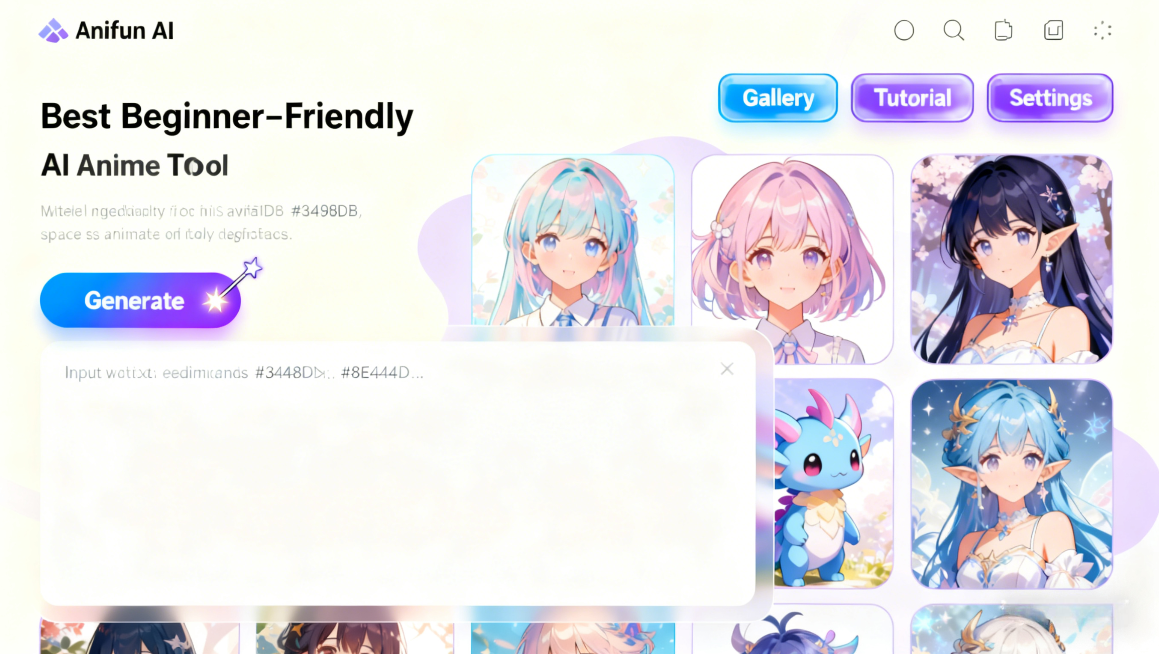
best beginner-friendly ai anime generator
Creating anime art has traditionally been a challenging task for beginners due to the complexity of drawing characters, backgrounds, and maintaining consistent styles. With the rise of AI-powered tools, generating high-quality anime images has become much easier. Among these tools, AI Anime Generator stands out as a beginner-friendly platform that simplifies the creative process.
Whether you want to design original characters, experiment with different styles, or produce concept art for stories, AI Anime Generator makes the process accessible and enjoyable. In this blog, we will explore the advantages, practical usage scenarios, and key features that make it an ideal choice for those just starting in anime art creation.
Advantages of Using Anifun AI Anime Generator for Beginners
Beginners often struggle with complex software, steep learning curves, and time-consuming processes when attempting to create anime art. Anifun AI Anime Generator addresses these challenges with a combination of intuitive design and beginner-focused features.
User-Friendly Interface
Anifun AI Anime Generator offers a clean and straightforward interface. Beginners don’t need to worry about technical jargon or complicated menus. The platform provides pre-configured templates, easy-to-navigate options, and visual guidance, helping new users start creating without feeling overwhelmed.
Image-to-Prompt Function
A standout feature for beginners is the ability to convert an image into AI prompts. Users can upload a reference image, and the AI automatically generates detailed prompts describing the character’s hairstyle, clothing, pose, and style. This allows beginners to replicate or customize anime characters without manually crafting complex prompts, saving time and reducing frustration.
Low Learning Curve
Traditional anime creation often requires learning drawing techniques, software skills, and composition rules. Anifun AI Anime Generator lowers the learning curve by handling technical aspects automatically. Beginners can focus on imagination and creativity while the AI generates polished results, making the art creation process approachable and fun.
Usage Scenarios and How Anifun AI Anime Generator Supports Them
Anifun AI Anime Generator is versatile and can be applied to multiple beginner-friendly scenarios. Its features make it easy for users to create content across different contexts.
Creating Original Anime Characters
Users can input descriptions such as hair color, eye shape, clothing style, and pose. The AI interprets these prompts and generates fully realized anime characters. This scenario is ideal for beginners experimenting with character design.
Designing Avatars and Profile Pictures
Beginners who want unique avatars for social media or online forums can use Anifun AI Anime Generator. The tool allows customization of facial features, accessories, and expressions, resulting in appealing and personalized avatars.
Generating Concept Art for Stories or Games
Aspiring writers or game developers often need visual representations of characters. Anifun AI Anime Generator enables beginners to produce concept art quickly, helping visualize storyboards, character relationships, and game assets without prior artistic experience.
Exploring Different Anime Styles
Beginners may wish to experiment with classic, modern, or chibi styles. Anifun AI Anime Generator provides multiple style presets, allowing users to switch aesthetics easily. This helps them understand how different elements influence the final visual impact.
Enhancing Learning and Creativity
Using Anifun AI Anime Generator, beginners can study AI-generated designs to learn about anatomy, proportion, and composition in anime art. This hands-on approach enhances creative skills without overwhelming technical complexity.
Collaborative Projects and Community Sharing
Beginners can create content quickly and share their work in online communities or collaborative projects. Anifun AI Anime Generator simplifies the process, allowing new artists to participate in collaborations and receive constructive feedback.
Key Features of Anifun AI Anime Generator
Understanding the core features of Anifun AI Anime Generator helps beginners maximize its potential and produce high-quality anime art.
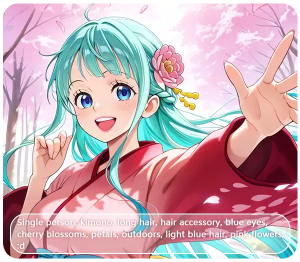
Create Stunning Anime Art from Text
Customizable Character Attributes
Users can customize almost every aspect of a character, including hairstyle, clothing, accessories, and expressions. The AI adapts to these inputs, generating highly personalized results suitable for various creative projects.
Style Presets and Artistic Flexibility
The platform includes a range of artistic styles, from traditional anime to modern, minimalist, and chibi designs. Beginners can experiment with different aesthetics without mastering multiple art techniques manually.
High-Resolution Output Options
Even novice users can produce images suitable for digital publishing or printing. The platform supports high-resolution exports, ensuring artwork maintains quality regardless of usage.
Easy Iteration and Editing
Anifun AI Anime Generator allows users to refine their creations iteratively. If a character or scene does not meet expectations, beginners can modify prompts or adjust attributes and instantly generate improved versions.
Conclusion: Anifun AI Anime Generator Makes Anime Art Accessible for Beginners
In conclusion, Anifun AI Anime Generator provides an approachable and powerful solution for beginners eager to create anime art. Its intuitive interface, image-to-prompt feature, low learning curve, and versatile style options make it ideal for designing characters, avatars, scenes, and concept art. By simplifying the creative process and producing high-quality results, Anifun AI Anime Generator empowers beginners to bring their imaginative ideas to life without the steep learning curve traditionally associated with anime art creation.