
Traveling abroad doesn’t mean giving up your favorite shows, but it does require extra attention to account security. Using public Wi-Fi networks in hotels, airports, and cafes can expose your streaming accounts to cyber threats, while regional restrictions and unfamiliar payment systems add additional complications.
In this guide, you’ll learn how to protect your connection, work around geographic restrictions, and maintain uninterrupted access to your content no matter where your travels take you.
Understanding the Risks of Streaming Abroad
When streaming while traveling, you face several security challenges that can compromise your accounts and viewing experience. Public networks, privacy vulnerabilities, and content restrictions all present unique obstacles.
Exposure to Public Wi-Fi Threats
Public Wi-Fi networks at airports, hotels, and cafes create significant security risks for your streaming accounts. These networks typically lack encryption, allowing attackers to intercept your login credentials and personal information through man-in-the-middle attacks.
When you connect to unsecured networks, cybercriminals can position themselves between your device and the streaming service. They capture sensitive data packets containing your passwords and payment details. Hotel Wi-Fi is particularly vulnerable since attackers often create fake networks with similar names to legitimate ones.
Account Privacy and Data Theft
Streaming abroad exposes your accounts to unauthorized access attempts and credential theft. Attackers use phishing scams that appear as legitimate service emails, tricking you into entering your login details on fake websites.
Your account becomes vulnerable when using the same password across multiple platforms. Data breaches from streaming services can expose your information, which criminals then use for credential stuffing attacks on your other accounts.
Geo-Restrictions and Content Blocks
Streaming services use your IP address to determine your location and restrict content accordingly. When traveling abroad, you’ll find that your usual shows and movies become unavailable due to licensing agreements. These geo-restrictions block access to geo-restricted content based on where you’re physically located.
Why Streaming Services Restrict Access Abroad
Streaming platforms block content based on your location due to complex licensing agreements and copyright laws that vary by country.
The Role of Licensing and Copyright
Streaming services like Netflix, Hulu, Disney+, and BBC iPlayer don’t own most of the content they offer. They purchase distribution rights for specific regions through licensing deals with studios and content creators.
A show available on Netflix in the US might be licensed to a different platform in the UK. These agreements restrict where each service can legally stream specific content. Copyright laws reinforce these geographic boundaries.
Licensing costs vary significantly between markets, which is why your streaming library changes when you travel abroad.
How Streaming Platforms Detect Your Location
Streaming services identify your location primarily through your IP address. When you connect to the internet, your device receives an IP address that reveals your geographic location.
Platforms compare your IP against databases of known addresses to determine which content library you can access.
Common Issues With International Access
You’ll encounter different problems depending on the service. Some platforms like BBC iPlayer block access entirely outside their home country. Others like Amazon Prime Video only show their original productions when you’re abroad, hiding licensed content you could watch at home.
Essential Security Practices While Traveling
Securing your streaming accounts abroad requires strong passwords, two-factor authentication, and device protection to prevent unauthorized access and maintain your privacy.
Using Strong and Unique Passwords
Your streaming accounts need passwords that are at least 12 characters long, combining uppercase and lowercase letters, numbers, and symbols. Never reuse passwords across multiple platforms.
A password manager helps you generate and store complex passwords securely. This tool becomes especially valuable when traveling, as you won’t need to remember dozens of different credentials. Update your streaming account passwords before your trip and again when you return home.
Enabling Two-Factor Authentication
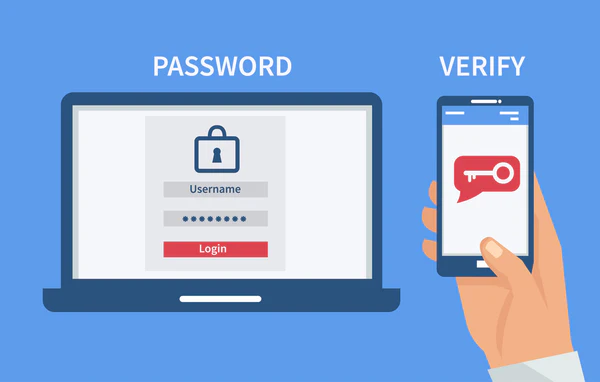
Two-factor authentication adds a verification step through your phone or email before granting account access. Enable this feature for all your streaming apps before departure.
Most platforms offer authenticator apps as a more secure option than SMS codes. Download and configure these apps while you’re still at home to avoid setup issues abroad.
Protecting Devices and Streaming Apps
Keep your devices updated with the latest security patches before traveling. Enable full-disk encryption and biometric authentication on phones and tablets.
Only download streaming apps from official app stores to avoid malicious software that compromises your privacy. Log out of accounts when finished watching, especially on shared or public devices.
How to Use a VPN for Secure Streaming Access
A virtual private network encrypts your internet traffic and masks your location, allowing you to access streaming services safely while traveling. Selecting a reliable VPN provider, connecting to appropriate servers, and avoiding detection are essential steps for uninterrupted streaming.
What Is a Virtual Private Network?
A VPN creates an encrypted tunnel between your device and the internet. When you connect to a VPN server, your data encryption protects all information from interception by hackers or your internet service provider.
Your actual IP address gets replaced with the VPN server’s address. This masks your physical location and makes it appear as though you’re browsing from wherever that server is located.
The encryption protocols used by VPN services scramble your streaming data. This prevents anyone on public Wi-Fi networks from viewing what you’re watching or accessing your account credentials.
Choosing the Right VPN Provider
Look for VPN providers with dedicated streaming servers and fast connection speeds. Services like ExpressVPN, NordVPN, and Surfshark maintain optimized servers specifically for streaming platforms.
A strict no-logs policy ensures your browsing history isn’t recorded. This means the VPN provider doesn’t store information about which streaming services you access or when you use them.
Check how many simultaneous device connections the service allows. Surfshark VPN offers unlimited connections, while Private Internet Access typically supports 10 devices on one account.
Safely Connecting to VPN Servers Abroad
Choose a server location where your streaming service operates normally. If you’re traveling in Asia but want to access your home library, connect to a VPN server in your home country.
Enable the kill switch feature before streaming. This automatically disconnects your internet if the VPN connection drops, preventing your real location from being exposed.
Test your connection by checking your IP address after connecting. Many VPN services include built-in tools that confirm whether your traffic is properly encrypted and routed.
Avoiding VPN Detection and Streaming Blocks
Use obfuscated servers when available, as these disguise VPN traffic as regular internet activity. NordVPN and Surfshark offer specialized servers designed to bypass geo-restrictions without triggering detection systems.
Switch between different VPN servers if you encounter blocking messages. Streaming platforms constantly update their detection methods, but VPN providers regularly refresh their server IP addresses.
Clear your browser cookies and cache before connecting to streaming services. Your device may store location data that contradicts your VPN server location, alerting platforms to VPN usage.
Sign Up Streaming Platform with a Virtual Phone Number
Virtual phone numbers let you register for streaming services without exposing your personal mobile number, which is especially useful when traveling and dealing with regional account requirements.
What Is a Virtual Phone Number
A virtual phone number is a cloud-based number that receives SMS verification codes online without needing a physical SIM card. You can access it from any device with internet, making it perfect for travelers who need to verify accounts across different countries.
These numbers work alongside your VPN setup. While your VPN handles encryption and masks your IP address, the virtual number handles phone verification—two separate privacy layers working together.
Choosing the Right Virtual Phone Number Provider
Look for providers that offer permanent numbers for ongoing 2FA codes, not just one-time verifications. Services like TrueNumber support crypto payments for added privacy and provide numbers from multiple countries.
Check these key features:
- SMS delivery speed for time-sensitive codes
- Country availability matching your streaming service’s requirements
- Number longevity for account recovery access
- Privacy policies that don’t log your activity
Avoid free or shared numbers—streaming platforms often blacklist them.
Advanced Tips for Secure and Uninterrupted Streaming
Streaming abroad requires attention to payment processing, device management, and network security to maintain access without disruptions or compromising your data.
Handling Payments and Currency Issues Abroad
Your streaming services may flag transactions from foreign locations as suspicious activity. Contact your payment provider before traveling to notify them of your international plans. This prevents card blocks that could interrupt your subscriptions.
Consider using digital wallets or virtual credit cards for added security. These create temporary card numbers that protect your actual banking details when making payments over unfamiliar networks.
Managing Simultaneous Connections and Multiple Devices
Most streaming platforms limit how many devices can stream simultaneously. Review your account’s connection limits before traveling, especially if family members at home will continue using the service.
Sign out of unused devices to free up available streams. Keep track of which devices remain logged in to avoid reaching your connection cap when you need access abroad.
Best Practices for Public Wi-Fi and Internet Use
Public Wi-Fi lacks encryption and exposes your streaming activity to potential interception. Always use a VPN when connecting to hotel, café, or airport networks. Avoid accessing streaming accounts on completely open networks without password protection.