
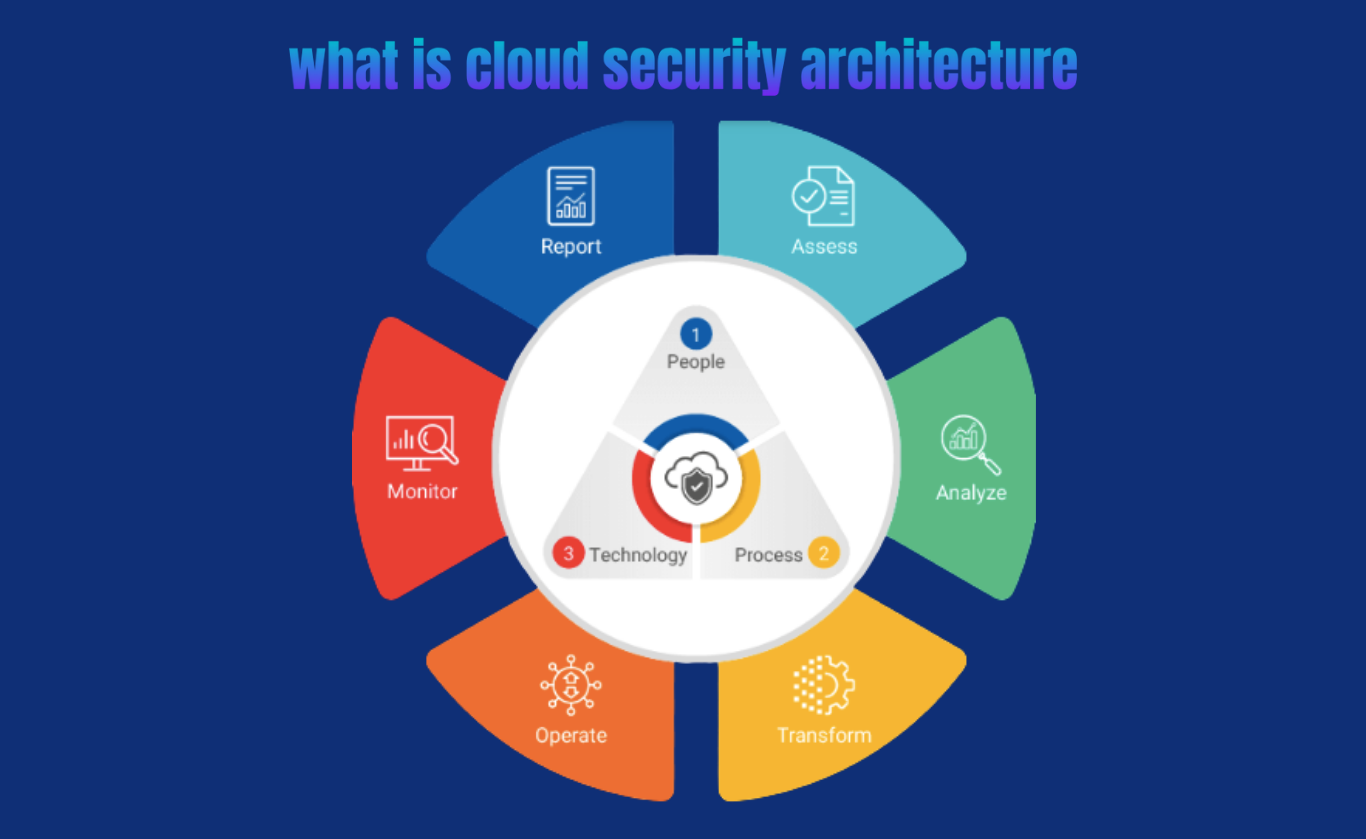
Public cloud environments don’t rely on a fixed network perimeter the way on-premises systems do. Security must focus instead on who has access, how resources are configured, and where automation can prevent mistakes. In this model, security teams stop acting as blockers and start acting as architects, creating clear controls and guardrails that teams can follow as they build and deploy quickly.
This article outlines the best practices for building a secure, compliant, and scalable public cloud environment, focusing on technical methodologies, process enforcement, and necessary organizational shifts.
Cloud security begins with knowing who is responsible for what. Under the Shared Responsibility Model, the cloud provider, such as Amazon Web Services (AWS), Microsoft Azure, or Google Cloud Platform (GCP), handles the infrastructure, while the customer secures what they build and store in the environment. This includes data, system settings, and access permissions. When organizations misunderstand this division, security gaps appear quickly, and this is where many problems start.
Establishing Zero Trust and Identity Controls
The first step is moving to a Zero Trust approach. Nothing is trusted by default, and every request must be checked, even if it comes from inside the network. This shifts security away from the old idea that internal traffic is automatically safe.
Identity and Access Management (IAM) Enforcement
All access requests must be controlled through a thorough Identity and Access Management (IAM) policy. We must define the principle of least privilege; therefore, every user, application, and service receives only the permissions necessary to perform its required task. Let’s discuss the key steps to make sure the identity controls are in place:
- Implement Multi-Factor Authentication (MFA) for every account. Use Single Sign-On (SSO) connected to a central directory like Azure Active Directory, so all console access is managed in one place. This makes it easier to add users, remove them, and control who has access.
- Never use long-term access keys on compute instances. Instead, assign IAM Roles or Service Accounts to cloud resources (e.g., EC2 instances, Lambda functions). The cloud provider assigns these roles short-lived credentials and rotates them automatically, cutting down the risks that occur when long-term keys are leaked.
- Access rules need to use context, for example, where the user is, whether the device is trusted, and when the request is made. For instance, a system might deny access to sensitive data if the request comes from an unknown or non-corporate network.
Security Configuration Management and Automation
Because cloud settings change quickly, configuration needs to be managed as code. Doing it manually leads to inconsistencies, drift, and a greater risk of errors.
Infrastructure as Code (IaC) for Security
Using Infrastructure as Code (IaC) tools like Terraform and CloudFormation let you build and manage cloud resources through code. Security needs to be part of that code from the start, not added afterward. The key recommendations include
- defining secure default settings for all key resources like VPCs, storage buckets, compute images, and databases. For example, every S3 bucket should have encryption turned on and public access blocked automatically.
- implementing Security Configuration Management (SCM) checks directly within the CI/CD pipeline. Before infrastructure is deployed, run static analysis against the IaC code. This prevents the deployment of known misconfigurations, shifting security left into the development cycle.
- establishing automated processes to continuously monitor live cloud environments against the approved IaC definition. Tools like AWS Config or Azure Policy detect unauthorized changes (e.g., a security group rule being manually opened) and automatically flag the violation or, where appropriate, auto-remediate the resource back to its secure baseline.
Network Segmentation and Data Protection
Even with Zero Trust, dividing the network into segments is important to contain any potential damage if a system is compromised.
- Micro-segmentation and Virtual Private Cloud (VPC) Design
The Virtual Private Cloud (VPC) or Virtual Network (VNet) forms the base of cloud networking. It is divided into smaller segments with security groups or firewalls to control traffic between internal systems.
First, separate applications into three tiers: Web (accessible to the public), Application (internal use), and Database (highly restricted). Allow communication only between tiers that need it, using specific ports.
Next, control outbound traffic carefully. Use NAT Gateways or outbound proxies to monitor and filter what leaves the cloud, limiting where resources can connect and preventing sensitive data from being exposed.
- Encryption Everywhere Methodology
Data protection hinges on maintaining end-to-end encryption. This means applying encryption to data both in transit and at rest.
For Data at Rest, all sensitive data stores like block storage, object storage, and databases must use the CSP’s managed encryption keys (e.g., AWS KMS or Azure Key Vault). The use of Customer Managed Keys (CMKs) allows the organization to retain control over the key lifecycle and usage auditing.
For Data in Transit, use TLS 1.2 or higher for all network communication, both external (load balancers) and internal (service-to-service communication). You can disable or block unencrypted protocols like HTTP and FTP entirely within the cloud environment.
Continuous Monitoring and Logging
Maintaining cloud security requires constant monitoring of systems, tracking configuration updates, and observing all operational activity.
Centralized Security Information and Event Management (SIEM)
All important security logs are collected in a central SIEM platform. These sources include cloud provider audit logs (e.g., AWS CloudTrail, Azure Activity Log), network flow logs (VPC Flow Logs), and resource-specific application logs.
- Standardize the collection of key logs. AWS CloudTrail, for example, must be activated globally, protected from modification, and encrypted to guarantee an immutable record of all API calls made within the account.
- Set alert rules according to security baselines. Critical alerts cover IAM policy changes, new public IPs, unauthorized open ports, and logins from unusual locations.
- Clear response procedures should be in place so security teams can act immediately when alerts occur.
Governance and Financial Oversight
Security should function within the organization’s rules and budget limits. Proper governance helps maintain compliance and keeps costs under control.
Policy-as-Code and Compliance Mapping
Policies required by regulations like HIPAA or PCI DSS can be implemented as code using cloud tools such as Azure Policy or GCP Organization Policy Service. This approach lets compliance checks run automatically and generates reports without manual work. Preventative controls enforce these rules by stopping resources that don’t meet requirements, for example, blocking a database from being created if it isn’t encrypted. Continuous audit adds another layer of safety by running regular automated checks using tools like AWS Security Hub or Azure Security Center to make sure systems follow standards like the CIS Benchmarks.
Conclusion
Building a strong cloud security setup is an ongoing process, not a one-time project. It requires moving away from relying on network perimeters and adopting a Zero Trust approach, with Identity and Access Management (IAM) as the main control. Using Infrastructure as Code (IaC) guarantees security settings are applied consistently, while continuous automated monitoring keeps systems compliant with the shared responsibility model. Following these practices helps organizations reduce financial and reputational risks from misconfigurations and creates a cloud environment that is secure, scalable, and sustainable.